Mobile Passport Control
- 4.9
- Rating
- 1.00M
- Installs
- Free
- Price

 Analysis by App-foxy
For many travelers, the most tiring part of returning to the United States is not the flight itself but the slow, repetitive process after landing. Mobile Passport Control is designed to make that entry routine more manageable by moving part of the process onto your phone before you reach a U.S. Customs and Border Protection inspection point. I found it most useful when I treated it as a preparation tool rather than a magic shortcut: it can reduce unnecessary waiting, but it does not replace the official inspection or remove the need to follow an officer’s instructions.
This free Travel & Local app comes from U.S. Customs and Border Protection, which is important because the service is tied directly to the government agency handling the entry process. It is available for Everyone, runs on Android from version 7.0 onward, and has become a familiar option for travelers who would rather complete basic information on a phone than fill out everything at the airport. Its store summary, “Streamline your U.S. entry,” is brief, but the practical value is clearer once you use it during a real arrival.
How the basic arrival workflow feels in practice
The first thing I would tell a new user is to install and open the app before the travel day. Airports are not ideal places to learn a new interface while walking through a crowded arrivals area, searching for a signal, or trying to keep children and luggage together. Setting up your profile calmly at home gives you time to read each prompt, check your personal details, and understand what the app expects when you arrive.
You May Also Like

 Blood Strike: 2.5 Anniversary
Blood Strike’s Loadouts Turn Every Drop Into a Tactical Gamble
A close look at Blood Strike’s custom loadouts: how fast access to signature weapons reshapes its battle royale rhythm, rewards preparation, and narrows the gap between fights.

 Pandora - Music & Podcasts
Pandora’s Music Is Easy to Start, but Harder to Recover
Pandora’s strength is its low-effort path from a seed to a station. Its weak spot is how much confidence it asks you to place in connection, setup, and quiet recovery.

 8 Ball Pool
 Is Built on Rivalries, Rematches, and Routine
A close look at the rivalries, rematches, shared routines, and unanswered safety questions that turn a quick pool match into a persistent mobile community.

 Samsung Music
’s Quiet Strength Is Playing What You Already Own
Its reach comes less from spectacle than from dependable access to a personal library. That simplicity is both the app’s strongest retention engine and its ceiling.

 AccuWeather: Weather Radar
AccuWeather Review: A Quick, Clear Forecast for Everyday Decisions
For everyday plans, the best forecast is the one you can understand quickly. AccuWeather makes rain timing, radar, and local conditions easy to act on, with a few trade-offs.

 Hill Climb Racing
Why Hill Climb Racing Still Turns Crashes Into One More Run
A tiny car, a bumpy hill and one more upgrade: Hill Climb Racing keeps resurfacing because its simple chaos makes every near-miss feel personal.
More From Our News Desk



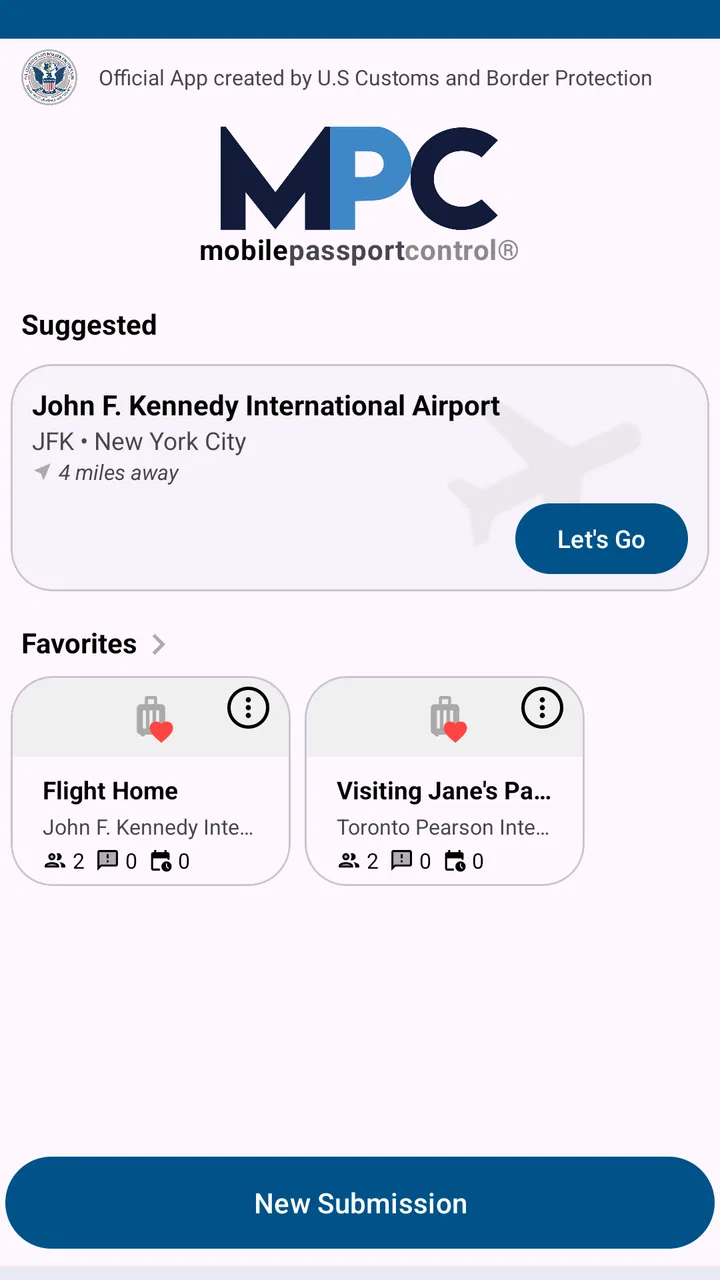
The normal rhythm is straightforward. You open the app, choose the relevant travel information, provide the requested details, and submit the information when you are ready. The exact sequence can depend on the trip and the information the app asks you to enter, so I would avoid assuming that a previous submission can simply be repeated without checking it. A careful review before sending is faster than correcting a mistake while standing in an inspection area.
After submission, the important part is not to wander away from the process. You still need to follow airport signs and look for the designated Mobile Passport Control path or instructions. The app is not a replacement for border control, and using it does not guarantee that every arrival will move at the same speed. An officer may still ask questions, inspect documents, or direct you elsewhere. The advantage is that some of the preliminary work has already been organized on your phone.
In my experience, the best mental model is “prepare, submit, follow the official route.” People sometimes expect a digital form to function like a reservation or a guaranteed fast pass. That expectation creates frustration. The app can make the process more efficient, but the final decision and inspection remain with U.S. Customs and Border Protection.
A realistic example is a family arriving after a long overnight flight. One adult can prepare the household’s information while the others collect passports and manage bags. Instead of everyone trying to understand the process at the same time, the group can arrive with the app already familiar and the details checked. That does not eliminate the need for everyone to cooperate at inspection, but it reduces the amount of last-minute coordination.
Prepare the profile before the airport becomes stressful
I recommend opening the app at home, with your travel documents nearby, rather than waiting until the aircraft has landed. This is one of the simplest habits that makes the service feel reliable. You can notice a spelling issue, an outdated detail, or an unfamiliar field without a queue behind you. You also avoid making decisions while your phone battery is low and your attention is divided.
Keep the app easy to find. A home-screen shortcut is useful, especially if you travel only occasionally and would otherwise search through several pages of apps after landing. I also like keeping the phone charged before departure and carrying the usual travel documents separately. The app should support your arrival routine, not become the only thing you depend on.
For group travel, decide in advance who will handle the submission. Passing one phone between several people can create confusion, particularly when everyone is tired. A single organized traveler can prepare the information while the group confirms that the details are correct. This does not mean one person can ignore the other travelers’ responsibility; it simply gives the group a repeatable workflow.
Settings and phone habits that deserve attention
Mobile Passport Control is not an app I would configure once and forget forever. Before each trip, I would check that I am signed into the intended profile, that the app is current, and that the phone has enough battery for the arrival process. The current version is 4.1.0, and keeping an official travel app updated is a sensible precaution because airport procedures and app behavior can change over time.
I would also review the phone’s basic connectivity and privacy choices. The exact options shown can vary by device, but the practical questions are universal: can the app connect when I need it, can I recognize its notifications, and am I comfortable with the permissions it requests? I would not grant access casually, yet I would also avoid disabling a permission without understanding whether it affects the submission workflow.
Notifications are worth checking because a traveler may submit information and then concentrate on baggage or directions. If the app provides a status message or confirmation, you want to notice it rather than assume the process completed. At the same time, I would not treat a notification as permission to skip the official signs or inspection queue. It is a useful signal, not a substitute for airport instructions.
Another practical setting is the phone’s battery and background behavior. Aggressive battery-saving modes can interfere with apps that need to remain responsive, while a bright screen and constant navigation can drain a phone quickly. I would charge before landing, reduce unnecessary background activity, and keep the app ready instead of repeatedly closing and reopening it. These are small choices, but they matter more in a crowded terminal than they do at home.
Travelers should also think about language and accessibility preferences already configured on the phone. If someone in your group needs larger text or a different display setting, test it before departure. The goal is not to customize every possible option; it is to avoid discovering during arrival that the interface is difficult to read or operate.
Repeatable patterns that make the process quicker
Experienced users tend to build a short pre-arrival checklist. I would open the app, confirm the traveler information, review the trip details, submit when appropriate, and then keep the phone accessible while following airport signs. Repeating that sequence reduces the temptation to improvise. It also makes the app more useful for people who travel several times a year and do not want to relearn the process on every return.
A helpful shortcut is to prepare before the plane begins its descent, provided the app’s instructions and the situation allow it. I would not rush through the form simply to finish early. Accuracy matters more than speed, and some information may need to reflect the current arrival rather than an earlier plan. The efficient approach is to prepare the parts that can be prepared, then verify the trip-specific details at the appropriate time.
Another good habit is to keep a screenshot-free mindset. I would rely on the app’s current screen and official confirmation rather than assuming an old image, saved note, or previous submission is still valid. Digital travel processes can depend on the current trip, and stale information is exactly the kind of shortcut that can cause a delay instead of preventing one.
When traveling with others, use a verbal confirmation routine before submission. I would ask the group to confirm names and travel details, then submit once. This is especially useful when one person is entering information for a partner or family member. The extra few seconds spent checking the details can prevent a longer conversation later.
I also recommend keeping the usual alternatives ready. Have passports or other required documents available, know where the inspection area is, and listen to airport staff. If the app becomes unavailable, the ordinary process remains the fallback. That may sound obvious, but it is an important trade-off: convenience should never encourage a traveler to pack documents away or stop paying attention to the airport.
Where the app helps, and where expectations need adjusting
The strongest use case is a traveler who is comfortable using a phone, wants to prepare information in advance, and understands that the app supports rather than replaces inspection. It is particularly appealing for repeat visitors who have developed a predictable arrival routine. Instead of treating every return as a completely new administrative task, they can use the same preparation pattern and spend less time figuring out what to do next.
It is less suitable for someone who dislikes handling forms on a small screen, has a phone that is unreliable during travel, or prefers to complete every step face to face. Those travelers may find the traditional process less mentally demanding, even if it takes longer. I would also hesitate to recommend relying on it alone when traveling with a group that cannot agree on who will manage the phone.
The app’s high average rating of 4.9, based on around 124 thousand ratings, suggests that many users find the concept valuable. Its reach is also substantial, with over one million installs. I see those figures as signs of broad acceptance, not proof that every arrival will be effortless. Airport congestion, connectivity, traveler mistakes, and officer instructions can all affect the experience independently of the app.
Compared with paper-based or fully manual preparation, the main benefit is convenience and repeatability. Compared with simply joining the standard line, the app gives you an additional digital step that may make the arrival process more organized. It is not a general travel planner, airline tool, or replacement for every border-entry option. Its value is narrow but practical: it focuses on the U.S. entry workflow and helps eligible travelers prepare through a mobile interface.
Limits that advanced users should understand
The most important limitation is that no shortcut removes official discretion. Even after completing the mobile portion, you may still need to answer questions or follow a different instruction. I would never promise a friend that the app guarantees a faster arrival, because that depends on the airport, the time, the queue, and the inspection process.
Connectivity is another real-world weakness. An app can be well designed and still be inconvenient when a phone cannot connect, the terminal is crowded, or the device is nearly out of power. This is why I consider battery preparation and document access part of using the app properly. A digital workflow without a backup is fragile, especially after a long flight.
There is also a human-factor limit. Entering information while tired invites errors, and a group may assume that one person’s completed screen means everyone’s part is finished. I would slow down at the final review, keep each traveler involved, and avoid submitting information merely because a queue is moving. The app rewards organization more than frantic tapping.
Privacy deserves a measured approach. This is an official app from U.S. Customs and Border Protection, so travelers should read its on-screen explanations and make their own decision about using a digital submission process. I would not install an imitation or depend on an unofficial tool for sensitive travel information. The developer identity is one of the reasons this app feels more appropriate than a third-party form that merely claims to simplify entry.
Finally, the minimum operating-system requirement of Android 7.0 means many older devices can run it, but compatibility alone does not guarantee a smooth experience on every phone. Older hardware may have a weaker battery, slower performance, or a less comfortable display. If your device is already unreliable for boarding passes and maps, I would not make this app the only part of your arrival plan.
My verdict for travelers deciding whether to use it
I recommend Mobile Passport Control to travelers who want a focused, official way to prepare for U.S. entry and are willing to keep a sensible backup plan. Its best quality is not that it promises to transform border control; it is that it turns a repetitive part of arrival into a familiar sequence. Once I had a routine for checking the profile, preparing the trip, submitting carefully, and following the airport’s instructions, the app felt much more useful than its short store description suggests.
The free price makes it easy to try, and the Everyone age rating makes it approachable for ordinary family travel, although adults still need to supervise the process and make sure the information is correct. I would skip it if you strongly prefer paper or face-to-face procedures, if your phone cannot be trusted after a flight, or if you expect a guaranteed express lane. In those situations, the standard process may be clearer and less stressful.
For everyone else, my advice is simple: install it before traveling, learn the workflow at home, check the app and phone before landing, and treat the digital submission as one part of entry rather than the entire entry process. The real advantage is preparation you can repeat confidently, not a promise that every airport arrival will be identical. Used with that expectation, this Travel & Local app is a practical companion for returning to the United States and a worthwhile addition to a careful traveler’s phone.
FAQs for Mobile Passport Control
01What is Mobile Passport Control and how does it work?
Mobile Passport Control is a U.S. Customs and Border Protection (CBP) app that simplifies the customs and immigration process for U.S. and Canadian citizens. Users can submit their passport information and customs declaration form through the app, bypassing traditional paper forms and expediting their entry upon arrival at U.S. airports.
02Is Mobile Passport Control available for both Android and iOS devices?
Yes, Mobile Passport Control is available for both Android and iOS devices. You can download it from the Google Play Store for Android or the Apple App Store for iOS. Ensure your device meets the app's technical requirements for a seamless experience.
03Do I need an internet connection to use Mobile Passport Control?
An internet connection is required to submit your information through Mobile Passport Control. However, once your submission is successful, you can store the QR code locally on your device, allowing you to present it at the inspection point without needing a connection.
04Is Mobile Passport Control secure to use for my personal information?
Yes, Mobile Passport Control employs strong encryption to protect your personal information. The data is only transmitted to U.S. Customs and Border Protection and is not stored on your device after submission, ensuring your information remains secure and private.
05Can I use Mobile Passport Control for family travel?
Yes, Mobile Passport Control supports family travel. Up to 12 profiles can be added to a single device, allowing families to submit joint declarations. This feature streamlines the process, enabling families to quickly and efficiently proceed through customs and immigration together.
Pros
- Streamlines airport customs process.
- User-friendly interface for quick use.
- Supports multiple family member profiles.
- Secure with encrypted data storage.
- Reduces wait times significantly.
Cons
- Limited to participating U.S. airports.
- Requires stable internet connection.
- No offline mode available.
- May have occasional login issues.
- Some features require in-app purchases.

Mobile Passport Control
Gallery